Format Fast-Track
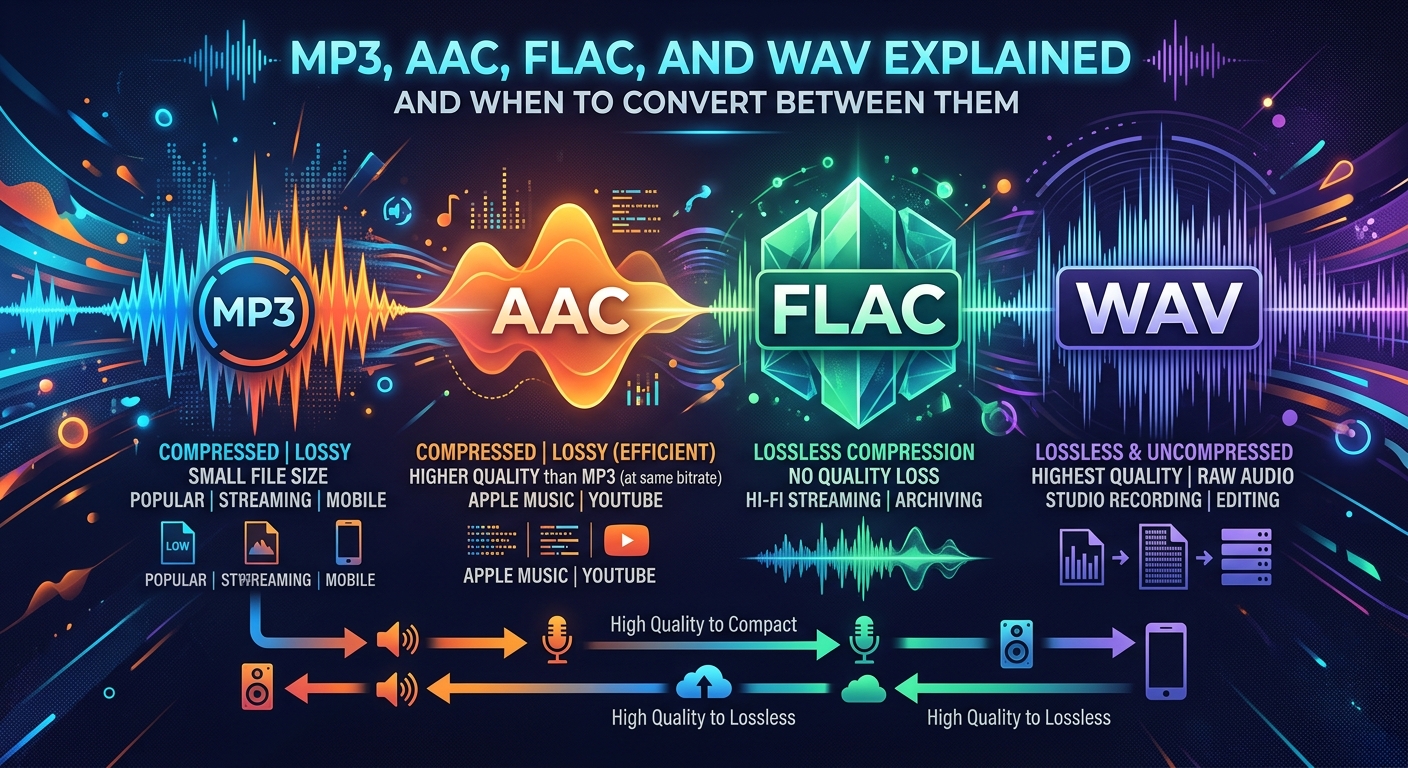
- MP3 and AAC are lossy formats that compress audio by discarding data, making them ideal for streaming and everyday listening.
- FLAC and WAV preserve every bit of the original audio, at the cost of significantly larger file sizes.
- Converting a lossy file to a lossless format does not restore quality , it only makes the file bigger without adding anything back.
Why Audio Format Choices Actually Matter
Your music library probably holds files in at least two or three different formats without you ever choosing them. A track downloaded from a streaming service might be AAC. A file ripped from a CD a decade ago is likely MP3. The audio from a professional recording session lands as WAV. And the audiophile you follow online keeps insisting on FLAC for everything.
These are not just different file extensions doing the same job. Each format reflects a different trade-off between file size, audio fidelity, and device compatibility. Understanding those trade-offs gives you real control over how you store, share, and play your audio.
MP3: The Format That Defined a Generation
MP3 arrived in the early 1990s as a solution to a very specific problem. Audio files were enormous, and internet connections were slow. Engineers at the Fraunhofer Institute developed a compression algorithm that could shrink an audio file to roughly a tenth of its original size by removing frequencies the human ear is least likely to notice. The result was a file that sounded good enough for most listeners and small enough to share online.
That trade-off delivered remarkable results. MP3 files became universal. Nearly every device, platform, and media player in existence reads them without complaint. A standard MP3 encoded at 320 kilobits per second sounds excellent to most ears in everyday listening conditions, whether through earbuds on a commute or laptop speakers in a kitchen.
The catch is that the removed audio data is gone permanently. Once a file is encoded as MP3, you cannot get that information back. The format uses what is called lossy compression, meaning quality is permanently traded for size. The smaller the file target, the more data is discarded to reach it.
AAC: The Quieter Upgrade Most People Already Have
AAC, which stands for Advanced Audio Coding, was developed as a successor to MP3 in the late 1990s. It uses more sophisticated compression techniques to achieve better audio quality at the same file size, or equal quality in a smaller file. At 128 kilobits per second, AAC typically sounds noticeably cleaner than MP3 at that same bitrate.
Apple adopted AAC as the default format for iTunes and the iPod, which quietly made it one of the most common audio formats in the world. Spotify, YouTube, and Apple Music all use AAC or closely related formats for their streams. If you have ever downloaded music from iTunes or transferred a playlist from an iPhone, you almost certainly already have AAC files on your devices.
Like MP3, AAC is a lossy format. Compression removes data to reduce size, and that removal is permanent. AAC is simply better at the compression step than MP3, which is why it produces cleaner results at lower bitrates. For most casual listeners, a high-bitrate AAC file is genuinely indistinguishable from the original source recording.
FLAC: Lossless Compression That Keeps Everything Intact
FLAC stands for Free Lossless Audio Codec. The name tells you the key thing. It is lossless, meaning no audio data is removed during compression. A FLAC file contains exactly the same audio information as the original uncompressed source, packed into a smaller container using compression techniques that can be fully and perfectly reversed during playback.
The official FLAC project, maintained by the Xiph.Org Foundation, is the definitive reference for lossless audio compression of this kind, describing a format that delivers mathematically identical output to the original source on every playback. That precision matters for specific use cases: archiving a music collection, mastering audio professionally, or listening through high-quality headphones and amplifiers where subtle differences are genuinely audible.
The practical consequence of keeping all that data is file size. A FLAC file encoding a typical four-minute song sits somewhere between 20 and 40 megabytes depending on the source material. The same track as an MP3 at 320 kbps lands closer to 10 megabytes. For a large music library, that difference adds up fast. FLAC is the preferred format for audiophiles, archivists, and anyone who wants a permanent high-quality copy of a recording that can be converted to any other format later without quality loss.
WAV: Raw, Uncompressed, and Built for Production
WAV files are uncompressed. There is no algorithm reducing them, no frequencies removed, no compression to unpack during playback. A WAV file is essentially a direct digital capture of the audio signal, which is why audio engineers use it in recording studios and post-production workflows. It is the format that professional software and hardware accepts without conversion, and it is where recordings begin before they are shaped into anything else.
The quality ceiling for WAV is as high as the source recording allows. A single minute of CD-quality WAV audio at 44.1 kHz and 16-bit depth takes up roughly 10 megabytes. A feature-length film's worth of audio can run into gigabytes. This makes WAV impractical for mobile storage or streaming, but it is the correct choice for studio work, broadcasting, and archiving where no quality compromise is acceptable and storage is not the limiting factor.
What You Actually Give Up in Each Conversion
Not all conversions carry the same cost, and the direction you convert in matters enormously. Converting from a lossless or uncompressed format like WAV or FLAC to a lossy format like MP3 or AAC permanently reduces quality. The compression algorithm discards audio data that cannot be recovered. The trade-off is deliberate and irreversible: you get a smaller file, and you give up some sonic detail in exchange.
Why Converting Up Never Restores Quality
Converting in the other direction, from MP3 to FLAC for example, creates a lossless container around already-compressed data. The file grows larger, but the audio information inside it remains exactly what was in the MP3. No quality returns. You simply end up with a large FLAC file that sounds identical to the original MP3 you started with.
This is one of the most misunderstood points in audio format discussions. The format does not determine quality on its own. The quality of the source recording and the compression choices made when it was first encoded determine what is actually in the file. A high-bitrate AAC from a professional master will sound better than a low-bitrate MP3 of the same song, regardless of what container you store either one in.
Five Scenarios Where Switching Formats Makes Real Sense
Knowing which format fits which situation is more useful than debating formats in the abstract. Here are the situations where changing formats gives you a genuine benefit:
- Compatibility with older devices. Many car stereos, budget media players, and older portable audio devices only read MP3. Converting from FLAC or AAC to MP3 solves the compatibility problem without buying new hardware, and at a high enough bitrate, the quality difference is unlikely to be noticeable through those speakers.
- Building a long-term music archive. If you are ripping CDs or receiving audio files from a studio session, encoding directly to FLAC gives you a permanent lossless copy you can convert to any format later. Converting existing low-bitrate MP3s to FLAC does nothing for quality, but starting with a lossless source is a decision that pays off over years.
- Preparing audio for podcasts or video projects. Most distribution platforms accept MP3 or AAC, and file size matters for upload speed and storage costs. Converting from WAV to MP3 or AAC at an appropriate bitrate is standard practice in podcast and video production workflows.
- Reducing storage on a phone or portable player. Converting a FLAC library to AAC at 256 kbps delivers very good audio quality in a fraction of the space. For most listening environments, including commutes, gym sessions, and casual home listening, this trade-off is entirely reasonable.
- Sharing a large WAV file with a collaborator or client. WAV files are often too large for email or standard file-sharing links. Converting to a high-bitrate AAC or MP3 makes the file manageable for transfer without meaningful quality loss for review purposes, though the recipient should always receive a lossless version for final production use.
Making the Switch Without Installing Software
Understanding which format you need is half the task. The other half is actually converting the file. Most people assume they need to download dedicated software, configure encoding settings, and work through a learning curve before anything happens. That assumption is outdated for everyday conversions.
A browser-based free audio converter handles the most common format changes, including MP3, AAC, FLAC, and WAV, without requiring any installation or account creation. You upload your file, choose the output format, and download the result. For one-off conversions or users who prefer not to add another application to their machine, this is the most direct path from one format to another.
For anyone who converts audio regularly, it is worth learning what bitrate settings mean for a specific use case. Higher bitrates preserve more detail in lossy formats. For music listening through good headphones, 256 kbps AAC or 320 kbps MP3 is a sensible target. For voice-only content like podcasts or audiobooks, 128 kbps MP3 in mono is more than adequate and keeps file sizes compact without any perceptible quality loss for speech.
Picking the Right Format for the Job in Front of You
The format that fits you best depends entirely on what you are doing with the audio. Streaming and casual listening are a natural fit for AAC or MP3. Archiving a music collection or working in a recording environment calls for FLAC or WAV. Sharing audio files for collaboration usually means WAV for studio use and MP3 or AAC for everything else where file size and compatibility matter more than perfect fidelity.
The habit worth building is this: start with the highest-quality source you can access, and convert down only when a specific situation requires it. Rip CDs to FLAC if storage allows. Download at the highest available bitrate from legitimate sources. Convert to smaller formats for devices or platforms that need them, not as a default.
Audio format decisions stop being confusing once you connect each format to its actual purpose. MP3 and AAC were built for portability and compatibility. FLAC was built for preservation. WAV was built for production. Every practical choice you need to make follows directly from that distinction.